Changelog

allfeaturedbazelplatformperformancetestingremote runnersdebuggingAI

bb explain: understand why your build re-ran actions

Fabian Meumertzheim

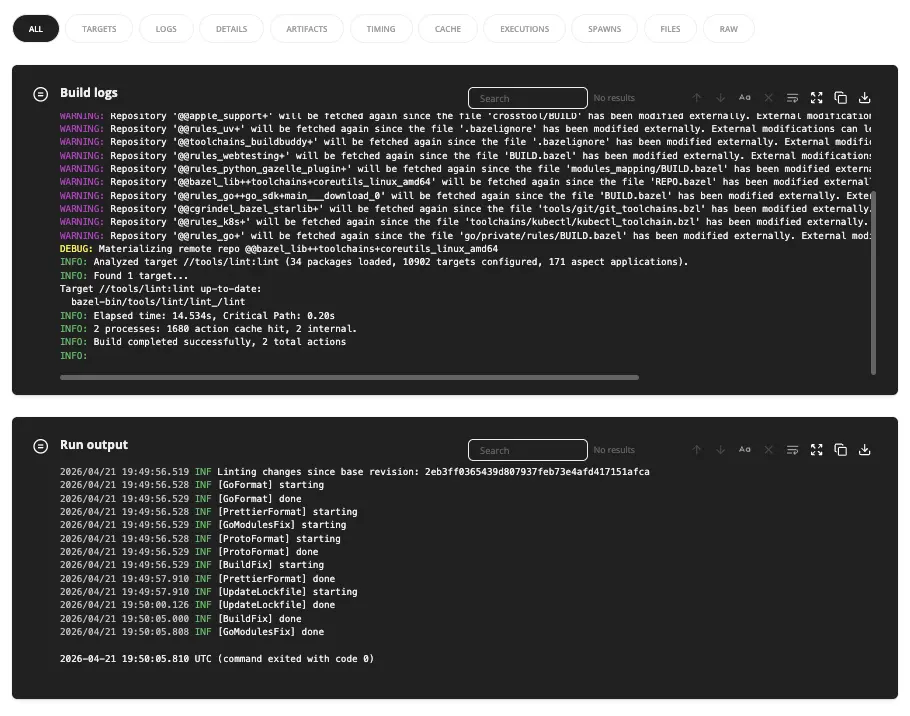
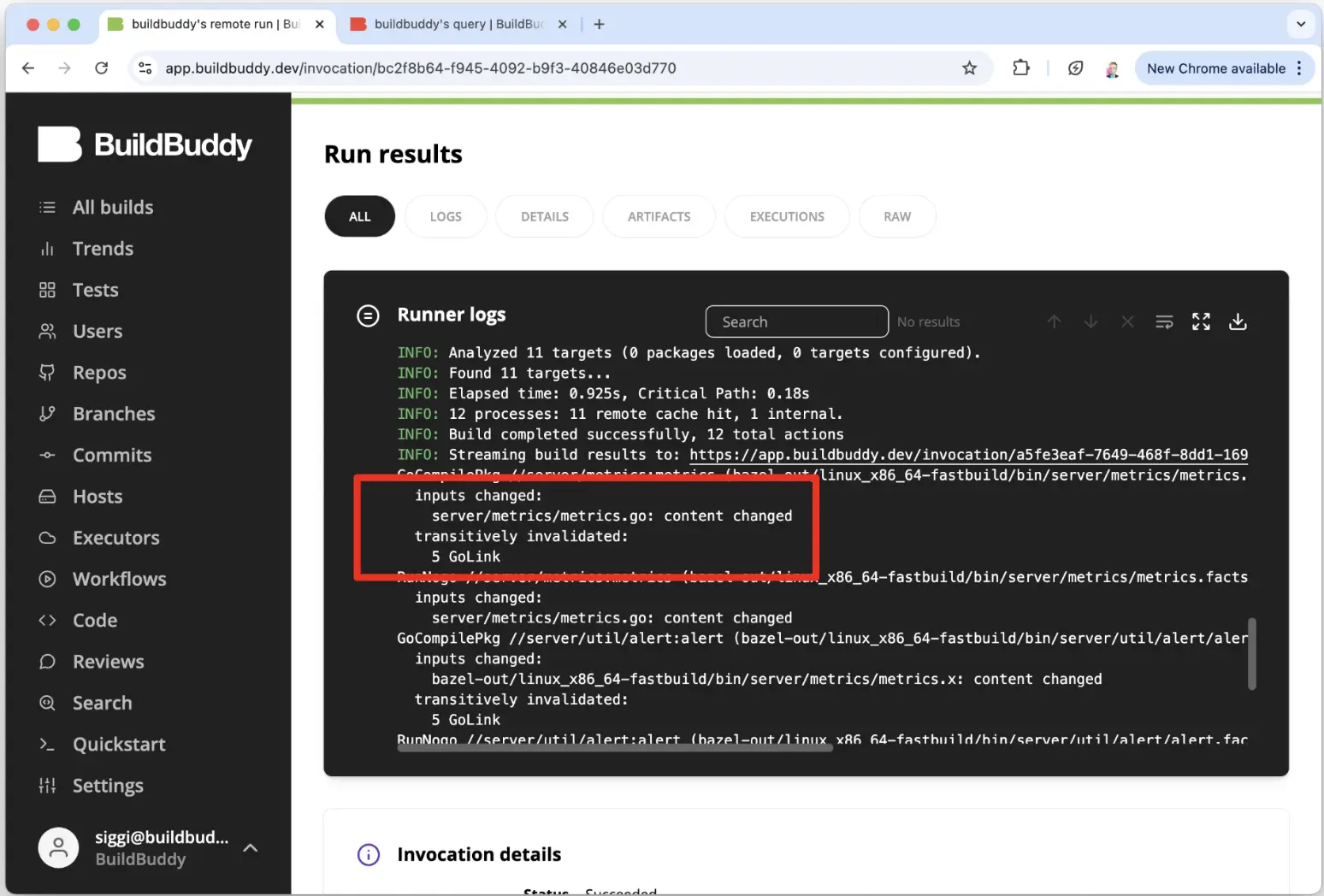
bb explain shows a structural diff of two compact execution logs. It helps answer the common questions: "Why did Bazel re-execute that action?" and "What changed between these builds?"

bb explain

It can highlight non-hermetic outputs and differences in inputs, environment variables, and arguments.

It works with your last two builds automatically, or you can point it at any invocation IDs:

bb explain
bb explain --old <OLD_INVOCATION_ID> --new <NEW_INVOCATION_ID>

You can download the bb CLI here. More details in Fabian's BazelCon talk.

Compare Invocations: compare two builds side-by-side

Siggi Simonarson

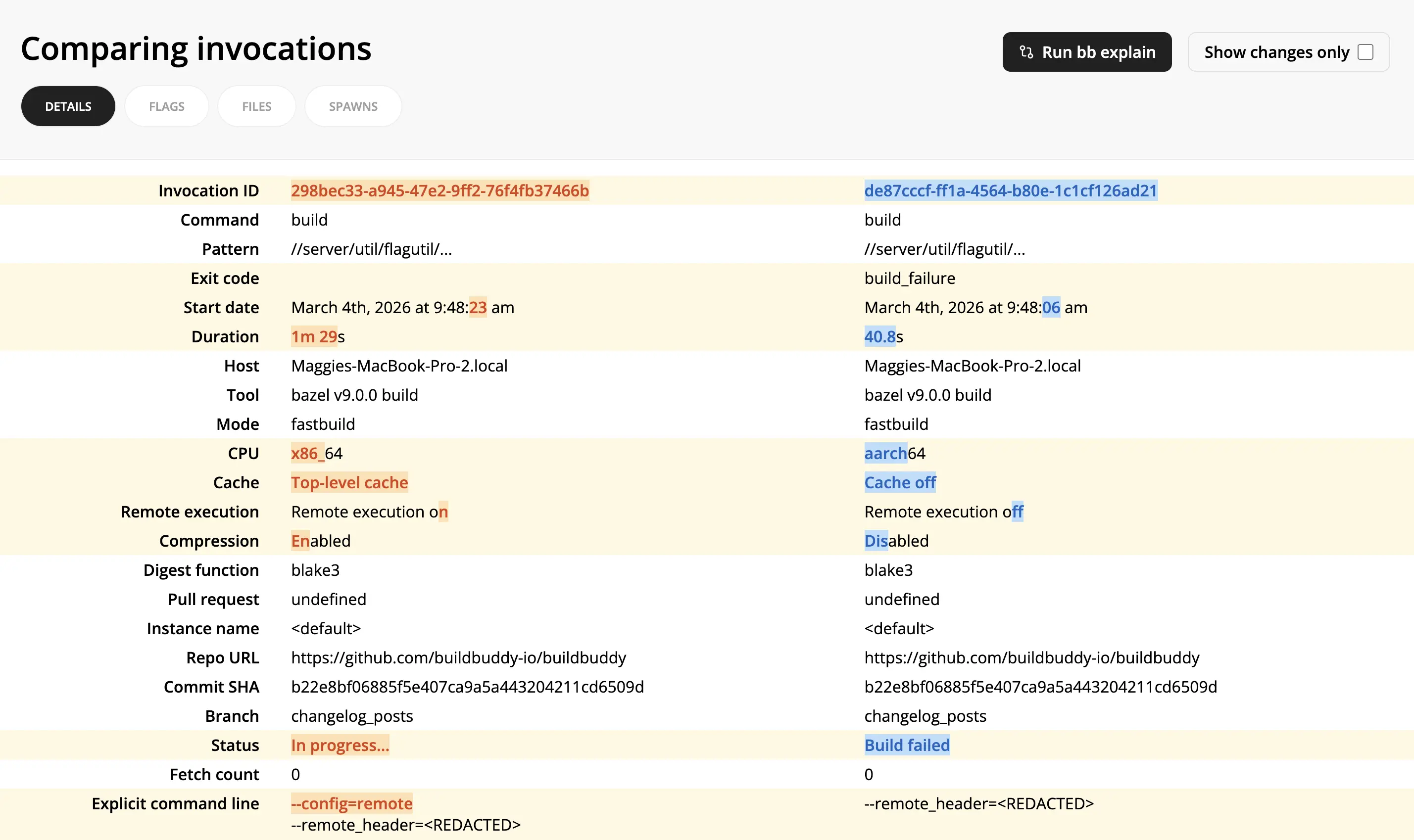
The Compare Invocations view allows you to diff two invocations side-by-side.

It can help debug why two builds produced different results by showing exactly what changed: different flags, startup options, cache/remote execution settings, status, and more.

To use Compare Invocations:

  1. From one invocation link, select Compare -> Select for comparison in the top right corner.
  2. From another invocation link, select Compare -> Compare with selected.
  3. For even more details on differences between the two invocations, click the Run bb explain button on the Compare Invocations page.

Compare Actions: compare two actions side-by-side

Siggi Simonarson

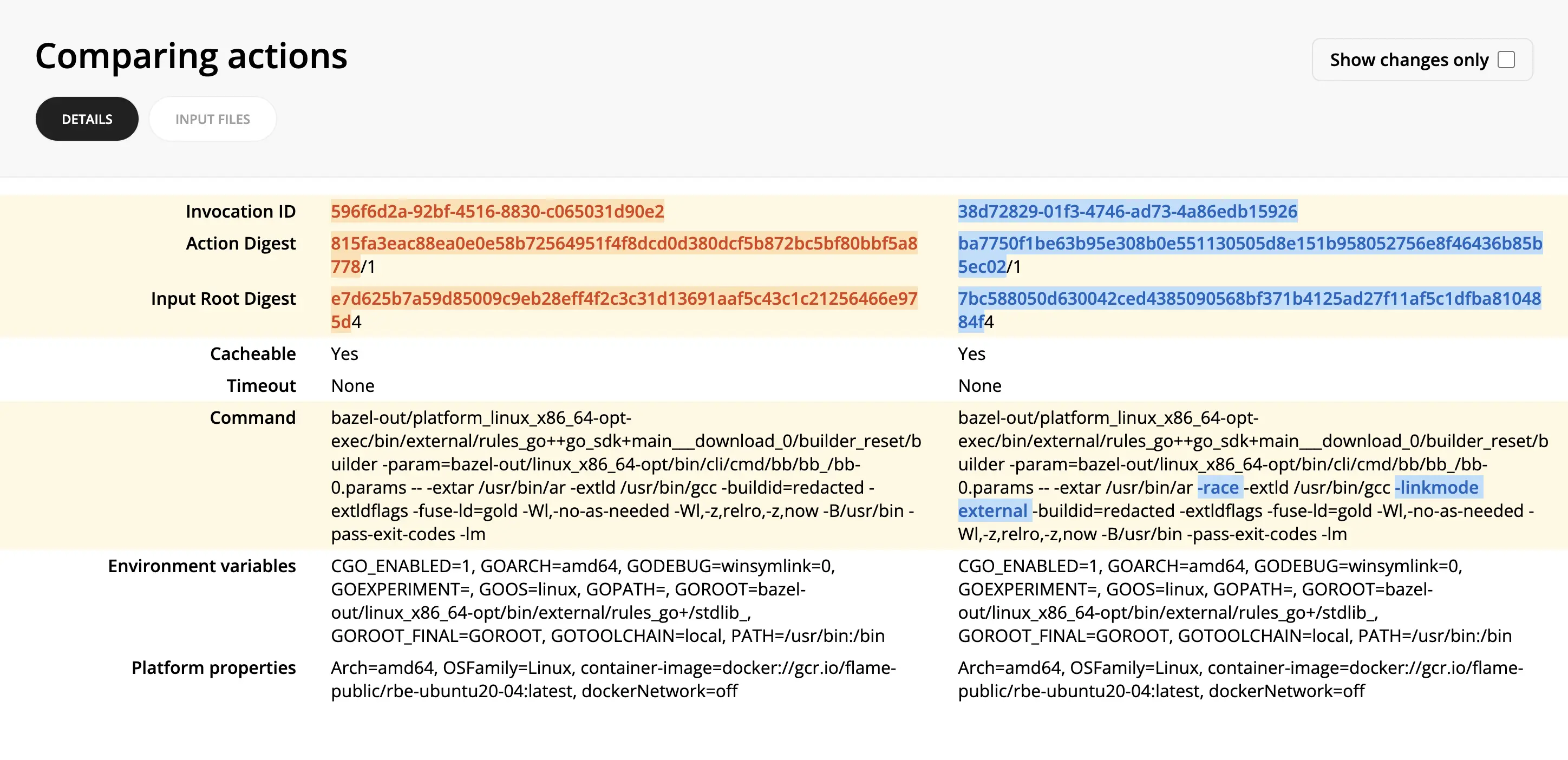
The Compare Actions view allows you to diff two actions side-by-side.

This can help pinpoint why two seemingly similar actions produced different results or didn't result in a cache hit.

To use Compare Actions:

  1. From an invocation link, you can find the desired action either in the Cache or Remote Execution tabs.
  2. Click through to the Action Details view.
  3. Click Compare -> Select for comparison in the top right corner.
  4. Find the other action you want to compare it against.
  5. Click Compare -> Compare with selected in the top right corner of the second action.