Compare actions: compare two actions side-by-side
The compare actions view allows you to diff two actions side-by-side.
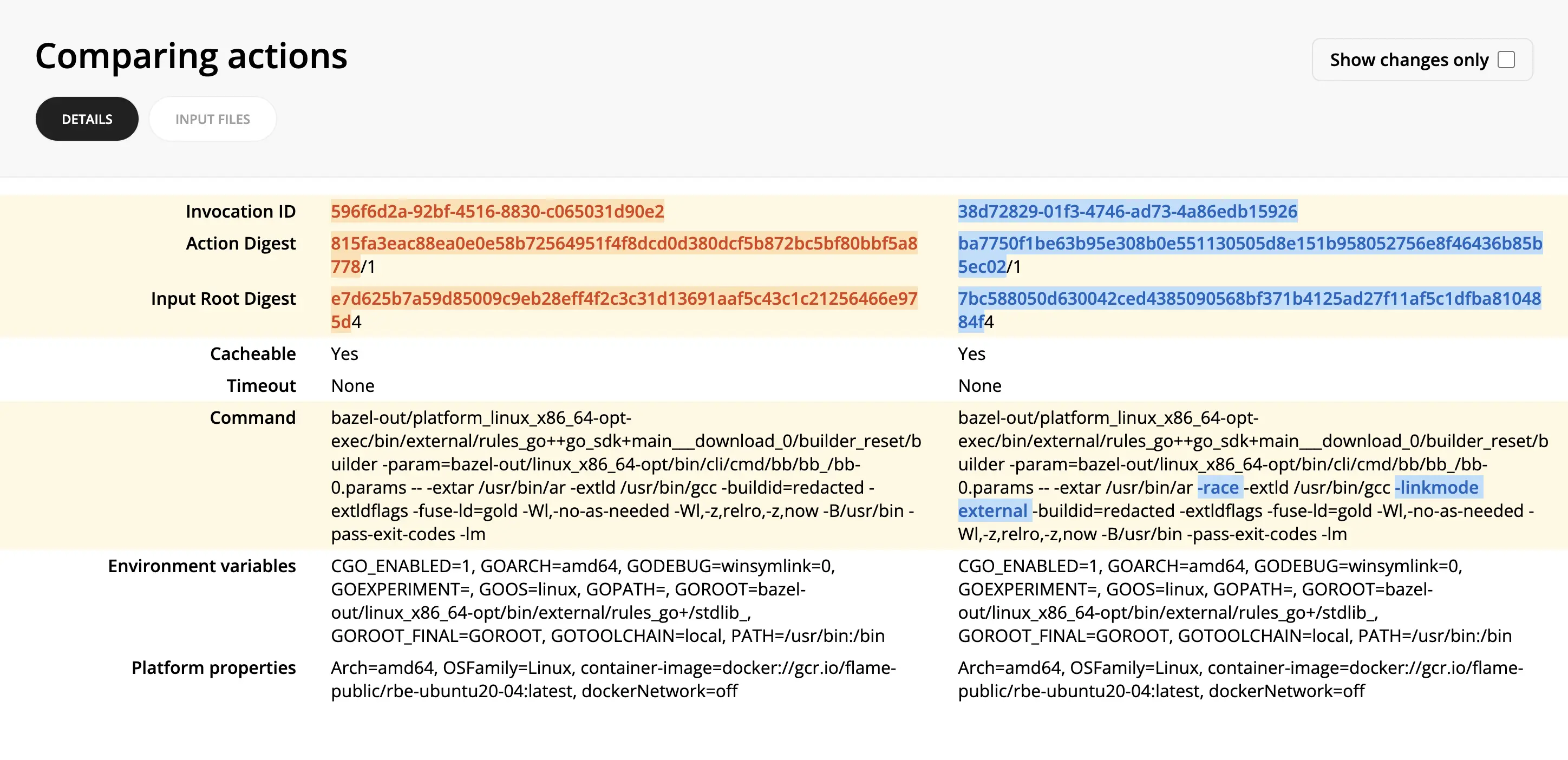
This can help pinpoint why two seemingly similar actions produced different results or didn't result in a cache hit.
To compare actions:
- From an invocation link, you can find the desired action either in the
CacheorRemote Executiontabs. - Click through to the Action Details view.
- Click Compare -> Select for comparison in the top right corner.
- Find the other action you want to compare it against.
- Click Compare -> Compare with selected in the top right corner of the second action.