Changelog

The latest improvements to BuildBuddy.

·Tyler French

End-to-end CDC support

We're excited to announce end-to-end content-defined chunking (CDC) support for Bazel remote caching in BuildBuddy.

With Bazel 9.1 and 8.7 support for --experimental_remote_cache_chunking, large outputs like linker artifacts can be uploaded and downloaded in content-defined chunks instead of as monolithic blobs. That lets BuildBuddy deduplicate similar artifacts across builds, reducing upload bandwidth and storage usage. In one benchmark on the BuildBuddy repo, this showed roughly 40% less uploaded data and a roughly 40% smaller disk cache. Breaking large blobs into smaller reusable pieces also means fewer long-running RPCs and more granular retries.

To enable it, add this flag to your .bazelrc:

common --experimental_remote_cache_chunking

To see the download-side savings, you should also set --disk_cache, since the downloaded chunks need to be stored somewhere in order to be reused locally. We also recommend setting --experimental_disk_cache_gc_max_age to a value below your remote cache TTL—for example, 3h, or 1d if your remote TTL is longer.

Bazel 9.1 and 8.7 support this flag.

For more background, see bazelbuild/bazel#28437.

For a deeper dive, see No More Large Outputs: Introducing Remote Cache CDC.
·Fabian Meumertzheim

bb explain: understand why your build re-ran actions

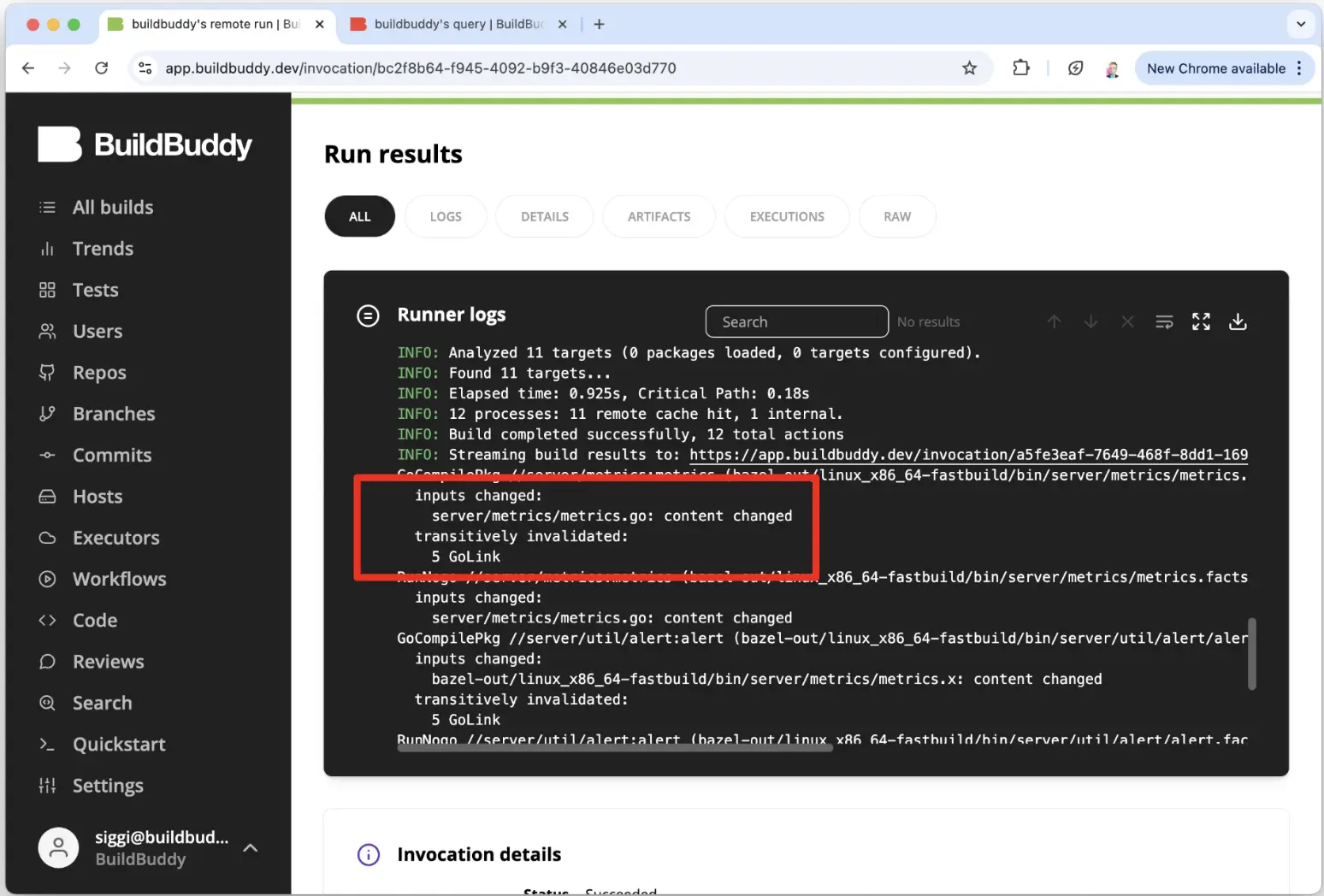
bb explain shows a structural diff of two compact execution logs. It helps answer the common questions: "Why did Bazel re-execute that action?" and "What changed between these builds?"

bb explain

It can highlight non-hermetic outputs and differences in inputs, environment variables, and arguments.

It works with your last two builds automatically, or you can point it at any invocation IDs:

bb explain
bb explain --old <OLD_INVOCATION_ID> --new <NEW_INVOCATION_ID>

You can download the bb CLI here. More details in Fabian's BazelCon talk.

·Jim Hollenbach

Drilldowns: find similarities between slow or failing builds

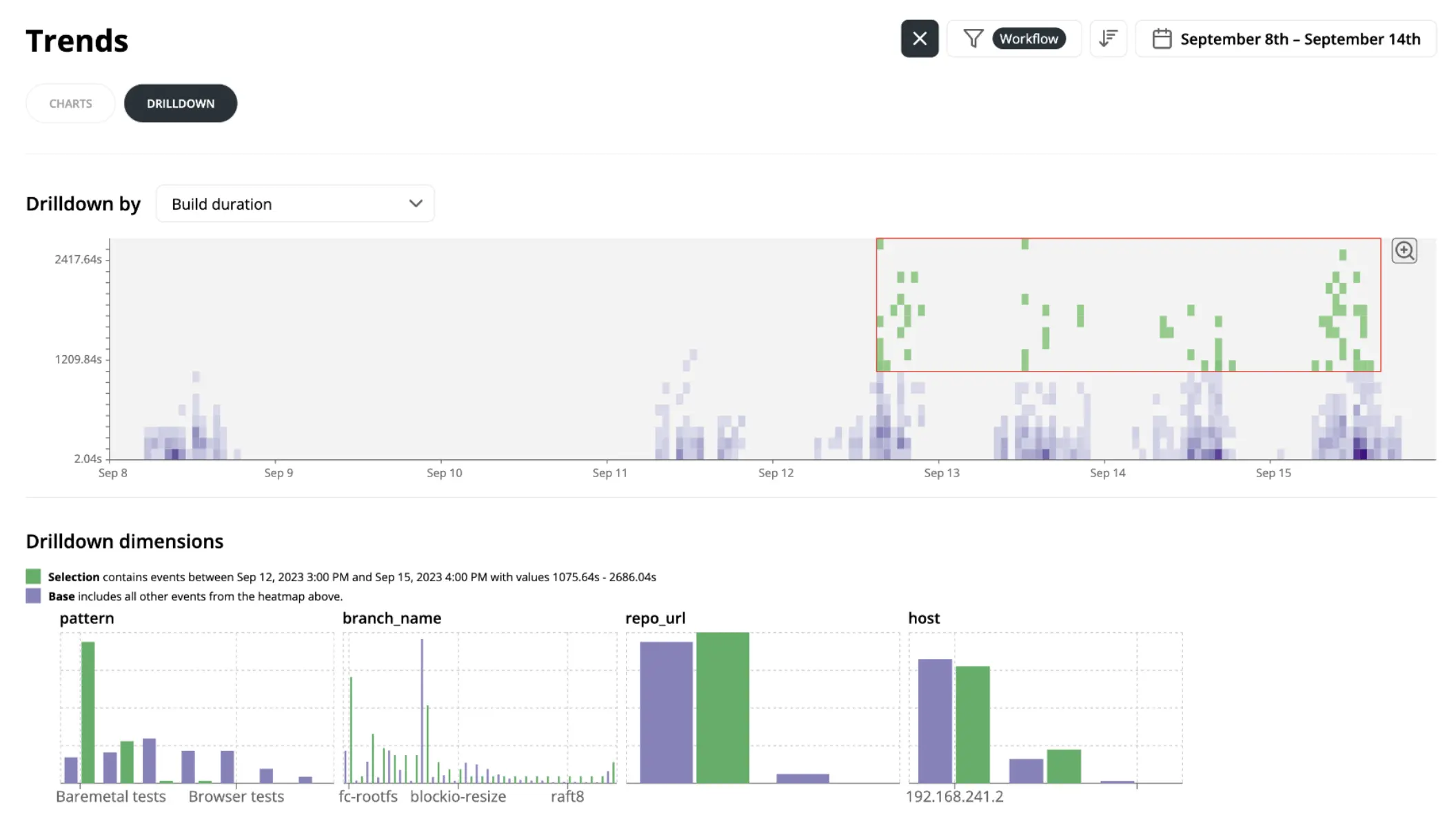
The drilldown view displays heatmaps of build and execution metrics over time. It can help isolate why a subset of builds is slower or failing more often.

You can select a region of outliers on the heatmap, and Drilldowns will compare that selection against the baseline across dimensions like branch, pattern, and tag.

This makes it easier to spot common characteristics of problematic builds.

Available on the sidebar under Drilldowns.

·Siggi Simonarson

Compare invocations: compare two builds side-by-side

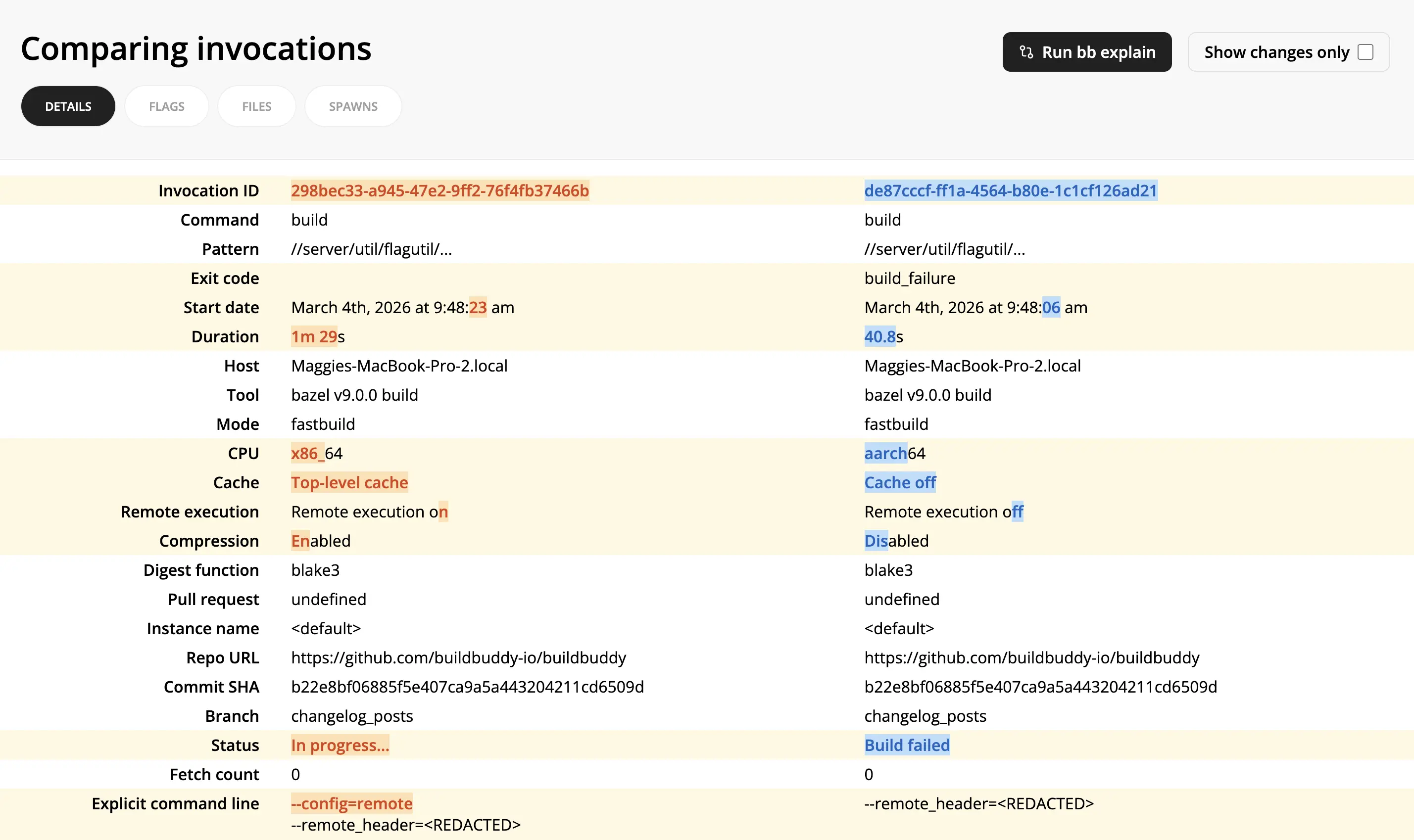
The compare invocations view allows you to diff two invocations side-by-side.

It can help debug why two builds produced different results by showing exactly what changed: different flags, startup options, cache/remote execution settings, status, and more.

To compare invocations:

  1. From one invocation link, select Compare -> Select for comparison in the top right corner.
  2. From another invocation link, select Compare -> Compare with selected.
  3. For even more details on differences between the two invocations, click the Run bb explain button on the compare invocations page.
·Siggi Simonarson

Compare actions: compare two actions side-by-side

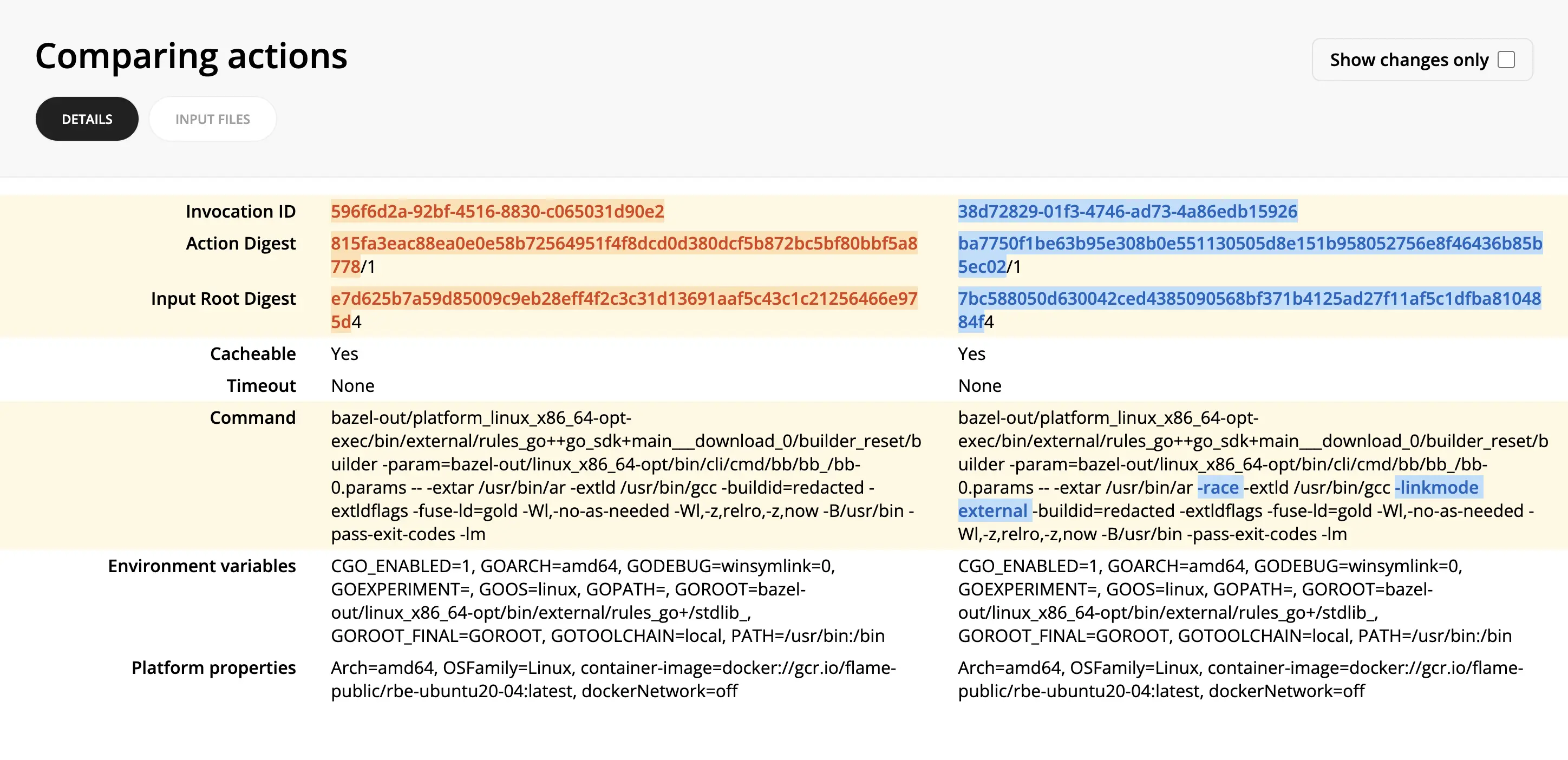
The compare actions view allows you to diff two actions side-by-side.

This can help pinpoint why two seemingly similar actions produced different results or didn't result in a cache hit.

To compare actions:

  1. From an invocation link, you can find the desired action either in the Cache or Remote Execution tabs.
  2. Click through to the Action Details view.
  3. Click Compare -> Select for comparison in the top right corner.
  4. Find the other action you want to compare it against.
  5. Click Compare -> Compare with selected in the top right corner of the second action.