22 posts tagged with "product"

View All Tags

Remote Builds on linux/arm64 with BuildBuddy

· 2 min read
Zoey Greer
Engineer @ BuildBuddy

We're excited to announce that BuildBuddy's remote execution platform now supports the ARM64 (AArch64) architecture. This means you can run your builds and tests natively on ARM64 executors, unlocking faster builds for ARM64 targets and enabling teams to test on the same architecture they deploy to.

Autoscaled Cloud ARM Support

For several years now, we’ve supported native ARM64 builds using Bring Your Own Runners (BYOR) or using our cloud mac build machines. As more customers transition to the ARM architecture for cost or performance reasons, we want to make it even easier for your builds to run natively on Linux + ARM64 as well. So we’re closing the loop and adding support for autoscaled cloud Linux ARM64 runners. This means that no matter how big your build, we’re able to handle it, and you’ll only pay for the resources you actually use.

We’ve made it easy to get started with ARM builds by adding support to the buildbuddy-toolchain to automatically detect your architecture and set the platform appropriately. This makes maintaining a project that builds on both ARM64 and x86-64 ergonomic and easy, and removes the need for slow cross-compilation.

Getting Started

Configuring your Bazel build to use BuildBuddy's arm64 executors is straightforward. Add the BuildBuddy toolchain to your MODULE.bazel file:

bazel_dep(name = "toolchains_buildbuddy", version = "0.0.4")

# Use the extension to create toolchain and platform targets
buildbuddy = use_extension("@toolchains_buildbuddy//:extensions.bzl", "buildbuddy")
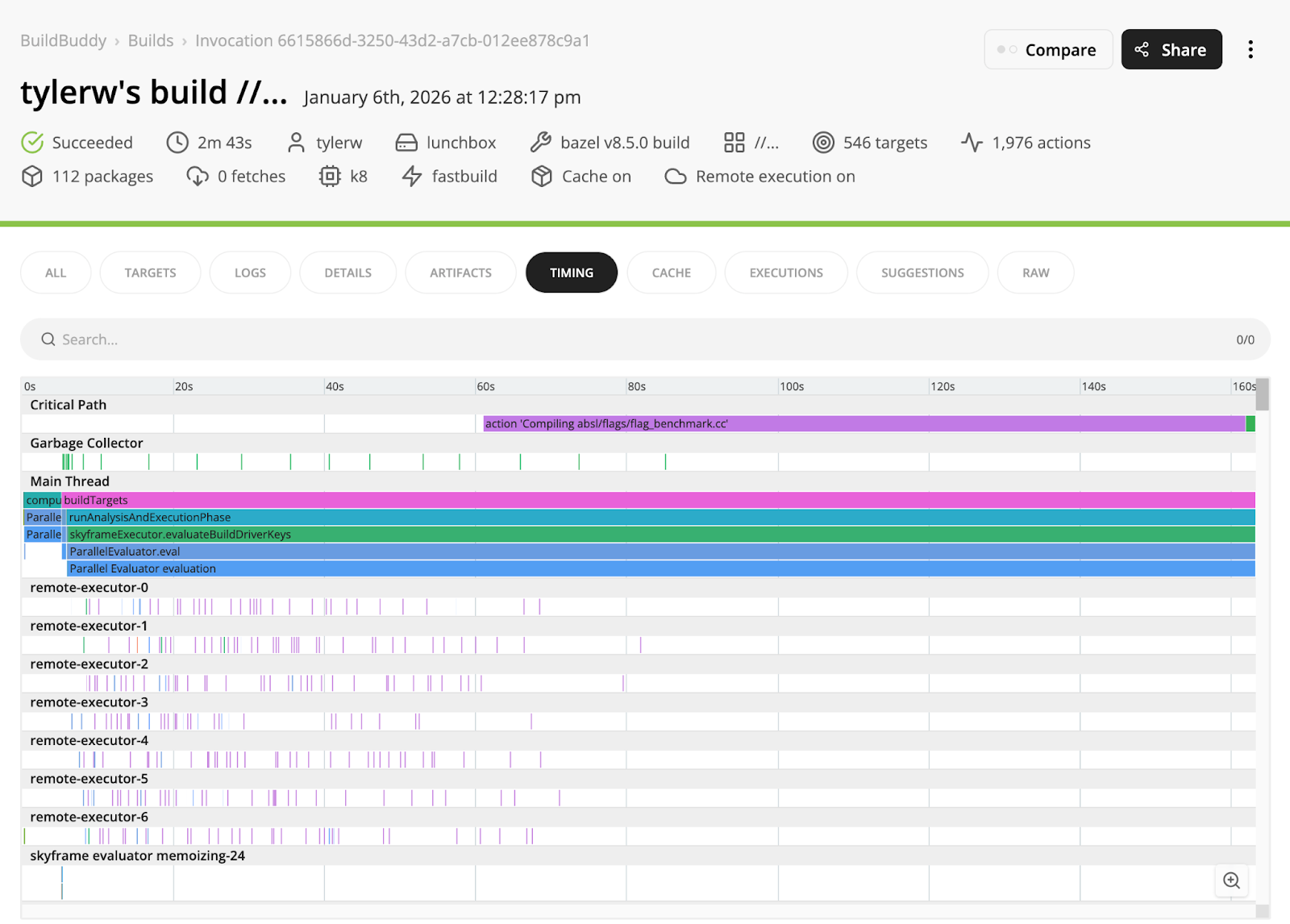
Then build your project with remote execution enabled, and your build will run on the new ARM64 executors.

Example ARM build of Abseil

As always, please report any problems you find to us either on our GitHub repo or come chat with us on Slack!


Action Merging

· 7 min read
Iain Macdonald
Engineer @ BuildBuddy

BuildBuddy's remote execution engine merges in-flight executions of identical actions to save our users time and resources. In this blog post, we'll explain why action merging is important, how it works, and some fun stuff we've learned over the years running our implementation in production.

Why is my Bazel build so slow?

· 15 min read
Maggie Lou
Software Engineer @ BuildBuddy

The promise of Bazel is the promise of fast builds. So what do you do if your build was slow? Curse out the developer that convinced your company to migrate to Bazel? Of course not! You’d never do that, right? 🙂

BuildBuddy is here to help. Bazel provides a lot of helpful information to debug slow builds, but it can be overwhelming to know where to look.

PostgreSQL Support for BuildBuddy

· 2 min read
Zoey Greer
Engineer @ BuildBuddy

By popular demand, we are introducing support for a PostgreSQL database backend for BuildBuddy! You can now use PostgreSQL as a drop-in replacement for MySQL or SQLite just by specifying a PostgreSQL endpoint to your BuildBuddy instance.

Providing Control Over Cache Encryption

· 2 min read
Vadim Berezniker
Engineer @ BuildBuddy

BuildBuddy enables fast builds by providing a high-performance cache that stores and serves artifacts, such as the inputs and outputs to your build actions.

Starting today, BuildBuddy customers can provide their own encryption keys that will be used to encrypt and decrypt data stored in the cache. At launch, we are supporting keys managed by Google Cloud Platform KMS and Amazon Web Services KMS.

Keyboard Shortcuts in BuildBuddy

· 2 min read
Iain Macdonald
Engineer @ BuildBuddy

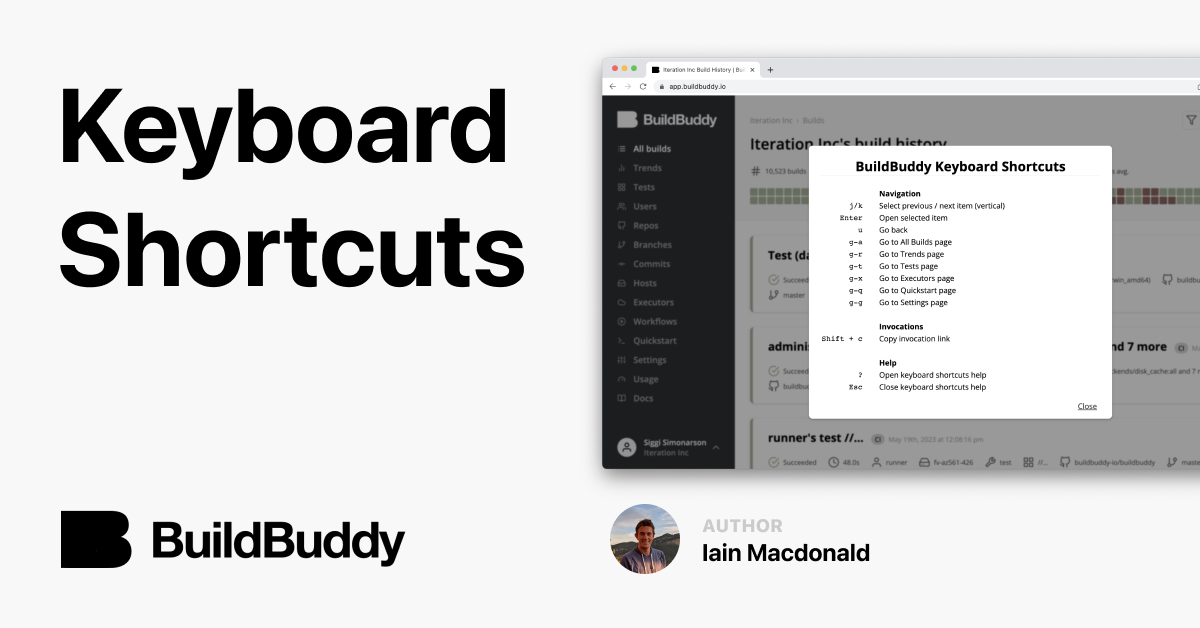
There are lots of small, satisfying moments in the day-to-day lives of software developers. From finding and deleting dead code, to writing tests that pass on the first run (actually), to receiving UX mocks that call for simplifying the frontend code, those little joys are a pleasant treat! We’re excited to share a small new BuildBuddy Build Result UI feature that we think fits into this category: keyboard shortcuts.

Keyboard shortcuts can be enabled in the personal preferences menu on the settings page in the app. Once enabled, a help menu explaining the shortcuts can be toggled using ? to show and Esc to hide. There’s also a clickable button to close it just in case… if only Vim had one too!

I implemented this feature during a hackathon a couple of months ago and I like how it saves me a second or two on some common tasks in the Build Result UI. My favorite shortcut is Shift-c to copy invocation page links. I use it once or twice a day to share a link in Slack along with the confused emoji.

We love receiving feedback from customers, if you’re excited about this or have other shortcuts you’d like to see in the UI, hit us up on Slack or at hello@buildbuddy.io.

How We Use ClickHouse to Analyze Trends Across Millions of Builds

· 3 min read
Lulu Zhang
Engineer @ BuildBuddy

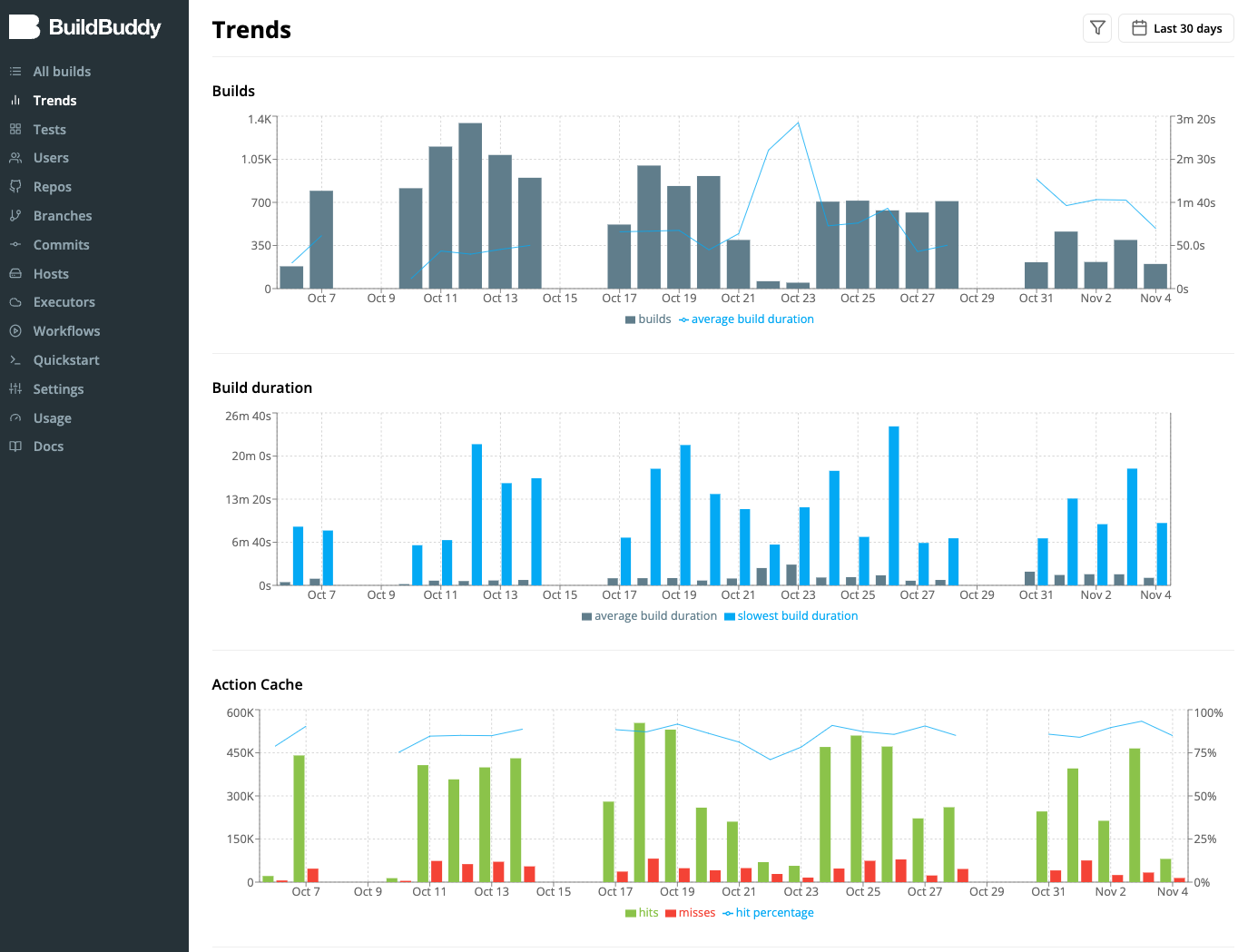
When you use Buildbuddy with Bazel to build and test software, Buildbuddy captures information about each Bazel invocation, such as number of builds, build duration, remote cache performance, and more. Buildbuddy has a Trends page to visualize trends in this data over time.

The trends page allows you to see how improvements you are making to your builds affects your average build duration and other stats. It also exposes areas that might need improving. For example, if you see the cache hit rate go down over time, your build might have some non-deterministic build actions that could be improved, or some newly introduced dependencies that result in more frequent cache invalidations.

Bazel Remote Cache Debugging

· 5 min read
Brandon Duffany
Engineer @ BuildBuddy

Using a remote cache is a great way to speed up your Bazel builds! But by default, Bazel uploads almost everything to the remote cache.

If your network is slow and your build artifacts are very large (like a docker image) this can lead to poor performance.

To address this, and make it easier to fix, we built the new cache requests card.

In this post we'll explore what insights this card can give you into your builds, as well as some fun details about how the card works under the hood.

BuildBuddy v2.7.0 Release Notes

· 4 min read
Siggi Simonarson
Co-founder @ BuildBuddy

To celebrate Bazelcon 2021 (and our Bazelcon talk), we've got a lot in store for you in this release! We're excited to share that v2.7.0 of BuildBuddy is live on both Cloud Hosted BuildBuddy and open-source via Github, Docker, and our Helm Charts!

We've also updated the list of open source repositories that use BuildBuddy. If you have an open source repo that's using BuildBuddy, and would like to be included on the list - please fill out the quick form at the bottom of that page!

Thanks to everyone using open source, cloud-hosted, and enterprise BuildBuddy. We've made lots of improvements in this release based on your feedback.

Meet BuildBuddy Workflows

· 5 min read
Brandon Duffany
Engineer @ BuildBuddy

In today's BuildBuddy v2.3 release, which is now live on BuildBuddy Cloud, we're launching BuildBuddy Workflows. BuildBuddy Workflows is a Continuous Integration (CI) solution for Bazel repositories hosted on GitHub (with support for other providers coming soon).

Like other CI solutions, Workflows give you the confidence that your code builds successfully and passes all tests before you merge pull requests or deploy a new release.

But because BuildBuddy Workflows were built for Bazel repos and tightly integrated with BuildBuddy RBE and Remote Caching, they are really fast.